
Key Highlights
- The two dominant mobile operating systems, iOS and Android, offer distinct user experiences, customization, and privacy features.
- Android provides a vast variety of devices and price points, while iPhones prioritize device longevity and tighter ecosystem integration.
- The Apple App Store is more restrictive than Google Play, impacting app availability and approval processes.
- Privacy controls and security updates differ, with iOS generally perceived as more secure.
- User demographics reveal that iPhone users typically have higher incomes, while Android users are more globally diverse.
- Deciding between iPhone vs Android often comes down to user preference for the operating system, app store policies, and price.
Introduction
Choosing between mobile operating systems like iOS and Android shapes everything about your smartphone experience. From the latest iPhone models to a vast range of Android device options, the iphone vs android debate is far from settled. Whether you’re eyeing apps in the Google Play Store or Apple’s App Store, the choice can influence app selection, hardware, user experience, and even data privacy. This guide unpacks what sets each platform apart and helps you find the best fit for your needs.
User Experience and Interface Design
When you compare user experience between iOS and Android, a few major differences appear right away. The user interface on an iPhone is designed for simplicity, with a cohesive feel and intuitive navigation. In contrast, Android offers flexibility, letting you personalize home screens and widgets to suit your style.
Ease of use is a major talking point. While Apple maintains strict design standards for app development, Android supports a broad range of screen sizes and configurations. So, what sets one operating system’s interface apart from the other?
Navigational Styles: iOS vs Android
Navigating an iPhone feels noticeably different from using most Android devices. On iOS, the interface is all about touch gestures—swiping up to access the home screen or control center, and using on-screen navigation rather than physical buttons. This design choice, found across all iPhone models, aims for a seamless, button-free experience.
On the Android side, things are more varied. Many Android phones feature a dedicated power button and the signature back button, making navigation familiar to users switching from traditional electronics. Some devices support gesture controls, but the presence of physical buttons often makes one-handed use more manageable.
Why does this matter? If you’re someone who values ease of use and minimalism, iOS’s approach might feel cleaner. But if you prefer tactile feedback and clear controls, Android’s user interface—with its back button and lock screen shortcuts—could be a better fit for your daily routine.
Visual Aesthetics and Customization Options
Android’s customization stands out—users can personalize almost every aspect of their home screens, from rearranging widgets to changing icons and system themes. This allows you to tailor your device’s visual aesthetics for a unique appearance and functionality.
iOS, meanwhile, is more uniform. The iPhone’s home screens stick to a grid layout, with limited opportunities for customization. While Apple has introduced widgets and some personalization features, the overall look remains consistent across all iPhones.
How does this impact everyday use? If you enjoy tweaking your device’s appearance down to the smallest detail, Android provides the freedom and flexibility you crave. But for users who want a clean, consistent interface that just works, iOS keeps things streamlined. As designer Jack Groetzinger says, “Android is more PC-like and customizable, while iOS is user-friendly and uniform.”
Accessibility Features for Various Users
Both operating systems prioritize accessibility, but they take different approaches. Apple’s iOS is widely recognized for its robust accessibility settings. Features like VoiceOver, Face ID, and customizable display options cater to users with various needs.
Android devices offer a broad set of accessibility tools as well, often varying by manufacturer. Google’s commitment to inclusivity is reflected in features such as a built-in voice assistant and extensive settings adjustments. Here are some key accessibility highlights:
- iOS: VoiceOver screen reader, Magnifier, Face ID for secure unlock, and assistive touch controls.
- Android: Google Assistant, voice commands, customizable text and display sizes, and screen readers.
- Both platforms support hearing aid compatibility and real-time text communication.
In summary, both operating systems have invested in accessibility, but Apple’s tight integration can make setup easier, while Android’s open approach means more device-by-device variation.
Privacy and Security Features
When privacy features and device security are top concerns, iOS and Android take notably different paths. Apple puts a spotlight on encryption, regular security updates, and a closed ecosystem, which many users perceive as more secure. On the other hand, Android’s open-source operating system means more frequent updates for certain models—but also higher exposure to malware, especially with sideloaded apps.
The real-world experience depends on how you use your device. Let’s break down how each system handles data protection, app privacy, and security updates.
Data Protection and Encryption Methods
iOS devices use end-to-end encryption for data stored on the phone and in iCloud, making user information hard to access without permission. Apple’s secure enclave adds an extra layer, keeping sensitive data separated from the rest of the operating system.
Android supports strong encryption, too, but implementation depends on the device manufacturer and version of Android. Google Pixel phones receive the latest security features first, while older or budget models may lag behind. Secure storage options are available, but consistency can be an issue.
How does this affect your data? On iPhones, encryption is deeply integrated and always on, safeguarding data even if your device is lost. On Android, it’s effective on newer flagship devices but may be less robust on entry-level phones. For both, using strong passwords and enabling biometric security adds extra protection.
App Privacy Permissions and Management
Managing app privacy is a crucial aspect of mobile security. iOS stands out by letting users control permissions for location, camera, mic, and contacts, both at installation and anytime after through settings. Apps on the Apple App Store face strict review processes, reducing the risk of intrusive behavior.
Android has improved permission management since version 6.0, enabling users to grant or revoke permissions individually. However, many Android apps still request broad access by default, and some settings are buried deep in menus. Google Play offers millions of apps, but with more openness comes a higher risk of encountering apps that misuse permissions.
When comparing app privacy, iOS generally offers more transparency and granular control, but Android’s flexibility can be appealing if you want to fine-tune permissions—just expect a steeper learning curve.
Security Updates and Malware Risks
Security updates are a vital line of defense, and Apple leads with iOS by pushing updates to all supported iPhones at the same time. This reduces the window for vulnerabilities and keeps device security fresh. Android’s update process is less unified, as each manufacturer controls the rollout for their devices.
Android’s popularity makes it a bigger target for malware, especially when sideloading apps outside of Google Play. iOS’s walled garden prevents most malicious apps from reaching users. Here’s what you should know:
- iOS: Regular security updates for all supported devices; rare malware on the App Store.
- Android: Security patches vary by manufacturer; increased malware risk with third-party app stores.
- Both: Strong security depends on keeping your device up to date.
Overall, if timely security is a priority, iOS is generally more reliable, but Pixel and newer Samsung devices are closing the gap on the Android side.
Hardware Choices and Price Range
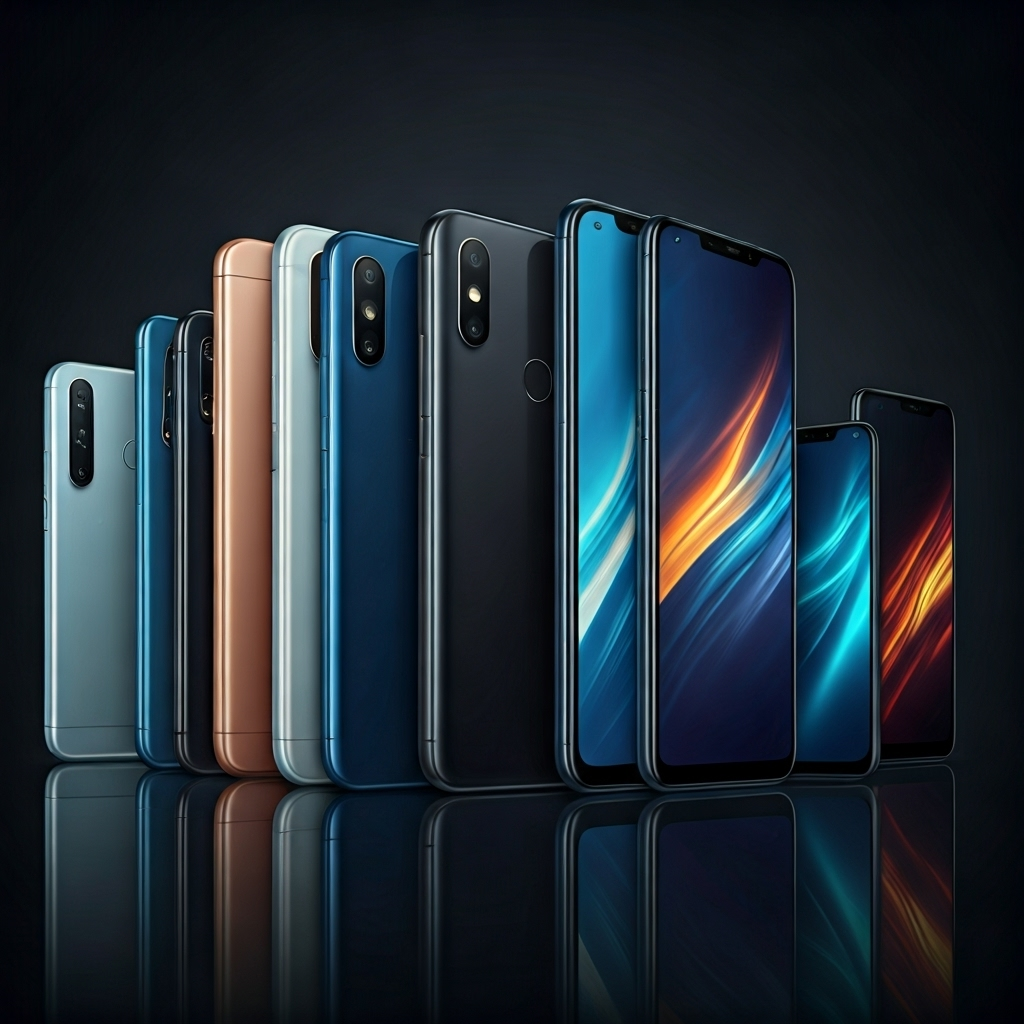
When considering hardware, iPhone models offer consistent build quality and device longevity but come at premium price points. Android devices, by contrast, range from budget to flagship, so you get more choice and flexibility. Brands like Google Pixel and Samsung phones set a high standard for Android build quality, while plenty of affordable options exist for every budget.
This diversity in hardware directly influences your buying decision. Let’s examine how the price points and build quality compare for each platform.
iPhone Models and Pricing in the US Market
Apple’s lineup is straightforward, with a handful of iPhone models targeting different price points and needs. In the US, the iPhone 16 and iPhone 16 Pro Max represent premium choices, while the iPhone SE provides a more affordable entry.
You can see the range in the table below:
|
Model |
US Price (approx.) |
Longevity (years) |
Key Features |
|---|---|---|---|
|
iPhone SE |
$429 |
4-5 |
Compact, Touch ID, affordable |
|
iPhone 16 |
$799 |
5-6 |
Face ID, A17 chip, flagship |
|
iPhone 16 Pro Max |
$1199 |
5-6 |
Best camera, large display |
Because Apple controls the hardware and software, each iPhone receives regular updates, contributing to longer device longevity and strong resale values. If you want a device that holds up over time, an iPhone is a safe bet.
Android Device Diversity and Cost Comparison
Android’s strength lies in its incredible diversity. Whether you’re after a budget-friendly phone or a top-end flagship, Android has you covered. Devices like the Google Pixel and Samsung Galaxy series set benchmarks for quality and software updates, while other brands offer competitive pricing.
For example, you’ll find Android phones available from as low as $150 up to $1,200 for the latest Galaxy or Pixel flagship. This broad spectrum means you can match your device to your budget and preferred features.
The variety also means some Android devices receive updates and support for longer, especially Google Pixel and top-tier Samsung devices. For value seekers or those wanting specific features like expandable storage or unique designs, the Android phone ecosystem offers unmatched flexibility.
Build Quality, Materials, and Longevity
When comparing build quality, Apple’s iPhones are known for their premium materials and consistent design. Aluminum and glass construction, together with tight quality control, give iPhones a reputation for durability and style.
Android devices range from plastic-bodied budget phones to ultra-premium flagships crafted from metal and glass. Brands like Samsung and Google Pixel compete directly with iPhones in material quality, while lower-priced Android devices may cut corners to save costs.
Device longevity is another story. iPhones tend to receive software updates for 5 or more years, extending their usable life. High-end Android devices like Pixel and Galaxy get solid support, but many budget models see shorter update windows. If long-term usability matters most, iPhone vs Android comes down to whether you choose a flagship or a budget device.
Customization, Flexibility, and Ecosystem Control
Android and iOS differ sharply in customization and ecosystem philosophy. Android is open source, allowing extensive customization and control over the user experience—ideal if you enjoy making your device uniquely yours. In contrast, Apple’s ecosystem prioritizes integration and consistency across all Apple products, but limits customization options.
These differences influence everything from home screen layouts to integration with other smart devices. Understanding each approach helps you choose the right balance of flexibility, control, and ecosystem integration.
Home Screen Personalization and Widgets
Android users have long enjoyed extensive home screen customization, which includes widgets, icon packs, and the ability to rearrange or remove nearly any app. This freedom means you can design your home screen to match your habits and personality.
iOS has added more customization options in recent years, but flexibility remains limited compared to Android. You can add widgets and move apps, but the grid structure and limited widget choices create a more uniform appearance.
Key personalization options:
- Android: Change launchers, resize widgets, use icon packs, hide apps.
- iOS: Add widgets, create folders, limited widget sizes.
- Android: Supports third-party widgets and deep app integration.
- iOS: Focuses on a consistent, user-friendly look.
If home screen customization is a priority, Android still leads by offering more ways to make your device feel personal.
Open-Source vs Closed Ecosystem: Pros and Cons
Android’s open source model means anyone can modify the operating system, which encourages innovation and device diversity. This openness allows for features like sideloading apps and extensive customization, but can result in inconsistent updates and possible security risks.
Apple’s closed ecosystem ensures tight integration of hardware and software, delivering a consistent user experience across all Apple products. However, it restricts customization and controls what you can install or change.
Consider these points:
- Open source (Android): Greater flexibility, more device choices, but higher security management required.
- Closed ecosystem (iOS): Seamless integration, regular updates, but less control for users.
- Android side: Users can try unique features or alternative app stores; iOS users get reliability and simplicity.
In short, the best choice depends on whether you value freedom or predictability.
Integration with Smart Devices and Wearables
Ecosystem integration can influence your decision, especially if you use smart devices and wearables. Apple’s products—iPhone, Apple Watch, AirPods, and HomePod—work seamlessly together, creating a unified experience. For example, starting a workout on your Apple Watch automatically syncs with your iPhone.
Android devices support a wider range of brands and products. Google devices and Wear OS watches work smoothly with Android phones, but integration can vary between brands. Smart home devices like Google Nest or Samsung SmartThings are tightly linked to Android, offering flexibility for those with diverse tech setups.
Ultimately, iOS shines if you’re deep into Apple’s ecosystem, while Android excels if you want broad compatibility with a variety of smart devices and wearables.
App Availability and App Store Policies
App choice and store policies are key factors for many users. The Apple App Store is curated with strict guidelines, leading to fewer, high-quality apps and a smaller risk of malware. In contrast, the Google Play Store features a much larger catalog—over twice as many apps—and more freedom for developers, but with greater potential for lower-quality or risky apps.
These differences shape what you can download, how quickly new apps appear, and your overall app experience.
Apple App Store Guidelines and Restrictions
Apple’s App Store is known for strict app review guidelines. Every iOS app goes through a detailed approval process, which helps ensure apps are safe and high quality. However, this can mean delays for app launches and updates, and developers sometimes face rejection for not following Apple’s rules.
The restrictions also limit what apps can do—certain system-level changes or features simply aren’t allowed. Apple prohibits third-party app stores, so you can only install apps from the official App Store unless you jailbreak your device, which is not recommended.
For users, the upside is confidence in app quality and a lower risk of malware. But if you crave niche or experimental apps, the walled garden approach may feel restrictive.
Google Play Store App Diversity and Sideloading
The Google Play Store is the largest app marketplace, with more than 3.5 million Android apps available. This diversity means you’re likely to find almost any type of app you need, from productivity tools to unique games.
Unlike iOS, Android allows sideloading—installing apps from outside the Play Store. This adds flexibility, but also increases the risk of malware or poorly vetted software. Consider these points:
- App diversity: More app choices, including niche or experimental apps.
- Sideloading: Install apps from third-party sources or alternative stores.
- Google Play: Faster app approval but less oversight compared to Apple.
If you want maximum freedom in app choices, Android’s approach is hard to beat, but remember to be vigilant about app safety.
Built-in and Exclusive Applications
Both platforms come packed with built-in apps that form the backbone of your daily experience. iOS includes stock apps such as Safari, Wallet, and iMessage, with exclusive features like FaceTime and seamless integration across Apple products.
Android devices bundle Google apps—Chrome, Google Docs, and Google Assistant—making cloud access and productivity easy. Many Android manufacturers add their own unique apps as well.
Exclusive apps can influence your operating system choice. For example, Apple’s Wallet app is deeply integrated for mobile payments, while Google’s suite excels in document collaboration. Your favorite apps or productivity needs may tip the scales between iOS and Android.
Software Updates and Device Longevity
How long your phone receives software updates and stays speedy matters. Apple’s operating system updates are released simultaneously for all supported iPhones, known for extending device longevity and security. On Android, updates are less consistent—some brands, like Google Pixel, deliver updates quickly, while others may delay or end support sooner.
This difference impacts performance, security, and value over time. Let’s look closer at how update frequency and end-of-life support stack up for each platform.
Frequency and Speed of Updates
Apple leads in software updates, with every supported iPhone receiving new iOS versions at the same time. This means even older iPhone models can enjoy new features and security patches right away, extending their useful life.
In contrast, Android updates are fragmented. Google’s Pixel phones get the latest Android version immediately, while Samsung and other brands roll out updates on their own schedules. This can leave some devices waiting months, or missing updates entirely.
For users who want the newest features or need timely security patches, the difference is clear: iPhone vs Android is also a choice between synchronized updates or potential delays, depending on your device brand and model.
Impact on Device Performance Over Time
Device performance can degrade as new software demands more from aging hardware. iPhones tend to handle updates well, thanks to Apple’s control over both hardware and software. Many iPhone users report smooth operation for several years, especially with battery replacements.
Android’s open ecosystem means performance varies. Flagship devices like Google Pixel or Samsung Galaxy usually age gracefully, but budget phones may slow down faster as they receive fewer or less-optimized updates.
For longevity, sticking with a premium device—regardless of operating system—generally leads to a better experience. However, iPhone users typically enjoy longer-lasting performance and value compared to most Android users, unless you pick a top-tier Android model.
End-of-Life Support and Migration Options
End-of-life (EOL) support determines when your device stops receiving updates. Apple typically offers 5 or more years of support for iPhones, making migration to a new iOS device smooth with built-in tools. Features like iCloud backup and “Move to iOS” make switching easy.
On Android, the EOL period depends on the manufacturer. Google Pixel devices, like the Pixel 9 Pro, get several years of updates, while some brands stop support much sooner. Migration between Android phones or from Android to iPhone often relies on Google Drive or third-party apps.
If seamless upgrades and long-term support are priorities, iPhones hold an edge. Android’s flexibility balances support with more hardware choices, but you’ll want to check your specific device’s policies.
User Demographics and Usage Patterns
Who uses Android and iPhones? User demographics show clear differences: iOS users in the US tend to have higher incomes and skew younger, while Android dominates globally and among older users. Market share varies by region, and usage patterns differ from in-app spending to brand loyalty.
Understanding these trends can influence your platform choice, especially if you want to fit in with certain social or professional groups. Let’s explore how demographics, market share, and user habits compare.
Geographic Trends: US vs Global Preferences
Preferences for iPhone vs Android differ sharply between the US and the rest of the world. In the US, iPhones hold over 50% market share, reflecting Americans’ preference for Apple products and less sensitivity to price points. Globally, Android dominates with around 70% share, thanks to the wider range of affordable devices.
See the comparison:
|
Region |
iOS Market Share |
Android Market Share |
Brand Loyalty |
|---|---|---|---|
|
US |
50%+ |
<50% |
Highest for Apple |
|
Europe |
32% |
67% |
Strong for both |
|
Global |
29% |
70% |
Android leads |
Brand loyalty is strong on both sides, but Apple enjoys the highest retention in the US, while Android’s diversity wins worldwide.
Lifestyle, Age Groups, and Brand Loyalty
Lifestyle and age also play a role in choosing a mobile operating system. In the US, iPhone users are generally younger and have higher incomes, favoring premium devices and spending more on in-app purchases. Android users, in contrast, include a broader age range and often choose devices based on affordability and practicality.
Brand loyalty is high for both platforms, but Android edges out iOS with a 91% retention rate, compared to iOS’s 86%. People often stick with what they know, but younger buyers are more likely to try something new or switch for a better user experience.
Ultimately, your age, lifestyle, and budget shape which OS fits best. Whether it’s for the latest features or simply what friends use, these factors drive your decision.
Transitioning: Switching Between iOS and Android
Moving from an Android device to an iPhone—or the other way around—can be a big step. Users typically switch for better user experience, improved features, or price points that match their needs. Migration tools like Google Drive and Apple’s Move to iOS make data transfer easier, but the process can still feel daunting.
What do people notice most during the switch? Often, it’s changes in user interface, app availability, and integration with other devices. The next section covers these tools and experiences in more detail.
Data Transfer Tools and Migration Experiences
Switching from one operating system to another is less of a headache than it used to be, thanks to dedicated migration tools. Google Drive and Apple’s Move to iOS offer step-by-step guides for moving contacts, messages, and photos between platforms.
Key migration tools and points:
- Google Drive: Back up Android data and restore it to a new iPhone.
- Move to iOS: Apple’s app helps transfer content from Android to iPhone during setup.
- Manufacturer tools: Samsung and Google Pixel offer their own migration solutions.
Most users find data transfer straightforward, but some app data or settings may not come over perfectly. The most noticeable changes after switching tend to be in user interface and how tightly each operating system integrates with its own ecosystem. If you’re considering a switch, expect some adjustment but also a smoother process than in the past.
Common Challenges in Transition
Moving from iOS to Android or vice versa can present common challenges in transition. Adjusting to a new operating system interface often requires a learning curve, especially for long-time users accustomed to a specific ecosystem. Transferring data such as contacts, messages, and apps between platforms may not always be seamless. Additionally, the differences in features, customization options, and even app availability can be initial hurdles for users making the switch. Adapting to a new set of gestures or navigation patterns may take time to become second nature.
What Users Notice Most When Switching
Transitioning between iOS and Android can present specific challenges, but what users typically notice most when making this switch is the user interface differences. Moving from the familiar layout and design aesthetics of iOS to the customizable nature of Android can be a significant adjustment. The ability to personalize the Android experience with widgets, different home screens, and diverse app icons often stands out to users who are used to the more uniform and structured approach of iOS. This shift in user experience is a key aspect that users take note of during the transition.
Gaming Performance and Exclusive Features
When considering gaming performance and exclusive features, IOS and Android offer distinct advantages. IOS typically provides smoother gaming experiences due to its optimized apps and consistent hardware integration. On the other hand, Android’s flexibility allows for customizations and a wider range of gaming options. Users often appreciate IOS’s AR capabilities, while Android devices excel in diverse controller support. The app store vs. Google Play debate also influences gaming choices, with each platform offering unique titles. Overall, the decision between IOS and Android for gaming comes down to personal preferences and gaming priorities.
Graphics Capabilities and Controller Support
When considering graphics capabilities and controller support between iOS and Android, it’s crucial to note that both operating systems offer high-quality visuals and compatible controllers. However, Android, being more open-source, provides users with wider options for customization and controller compatibility. On the other hand, iOS has a more streamlined approach, ensuring smooth integration with their devices. Overall, users often find iOS to deliver a more consistent and optimized gaming experience in terms of graphics and controller support, especially on newer iPhone models.
Game Library: App Store vs Google Play
When comparing the game libraries of the App Store and Google Play, iOS users often encounter a more curated selection of apps optimized for Apple devices. The App Store emphasizes quality and user experience, offering a wide array of exclusive titles and popular games. On the other hand, Google Play provides a more open ecosystem for Android users, allowing for greater flexibility in app development and availability. Each platform has its strengths, catering to different preferences based on the user’s priorities and gaming interests.
VR, AR, and Other Entertainment Options
When comparing iOS vs Android for VR, AR, and other entertainment options, Android offers a wider range due to its open-source nature. Android users enjoy a variety of options like Google Daydream and Cardboard. In contrast, iOS provides a more streamlined experience through ARKit for augmented reality applications. However, the choice between the two largely depends on personal preference and the specific entertainment features one prioritizes. Apple’s focus on quality control and seamless integration complements Android’s diversity in entertainment offerings, catering to different user preferences.
Conclusion
In the realm of IOS vs Android, choosing between the two major phone operating systems ultimately boils down to personal preference, priorities, and habits. Each system has its unique strengths and weaknesses, catering to different user needs. Understanding the nuances of gaming performance, exclusive features, and ecosystem integration is crucial for making an informed decision. Whether you lean towards the seamless integration of Apple’s ecosystem or the flexibility and customization options offered by Android, both IOS and Android platforms have evolved significantly to provide users with unparalleled experiences, shaping the future of mobile technology.
Frequently Asked Questions
Which operating system is better for privacy and security?
When it comes to privacy and security, both IOS and Android have their strengths. IOS is known for its strict app permissions and encryption, while Android offers more customization options but requires careful app selection for optimal security. Consider your priorities before choosing.
How do iOS and Android differ in customization and flexibility?
When comparing iOS and Android, customization options vary. Android offers extensive flexibility with custom launchers, widgets, and themes. In contrast, iOS provides a more streamlined experience but limits customization to app placements and widgets in designated areas.
Why do users consider switching between iOS and Android?
Users consider switching between iOS and Android for various reasons such as ecosystem preferences, customization options, app availability, and hardware choices. Factors like user experience, privacy concerns, and familiarity with a particular operating system also influence this decision.