Key Highlights
Here’s a quick guide to what we will talk about in the colorful world of RGB lighting:
-
The Origin Story: RGB lighting was not always common in the PC world. We will look at how it began, back when your gaming setup did not glow with many colors.
-
Why It’s Popular: RGB is more than just for looks. It helps gamers customize their gear. They can show their personality and create a fun atmosphere while playing.
-
More Than Just Looks: RGB lighting can be useful too. It gives in-game visual cues and offers ambient lighting that helps reduce eye strain. This can make gaming better.
-
The Social Factor: Streaming and social media helped make RGB popular. Gamers enjoy showing their PCs with matching RGB peripherals as part of a trend.
-
Common Headaches: RGB has some problems. We will talk about issues like software conflicts and the extra cost of these bright parts.
-
Alternatives Exist: If you don’t want full RGB lighting, there are other ways to customize your PC. You can choose custom cases or cool, non-glowing accessories.
Introduction
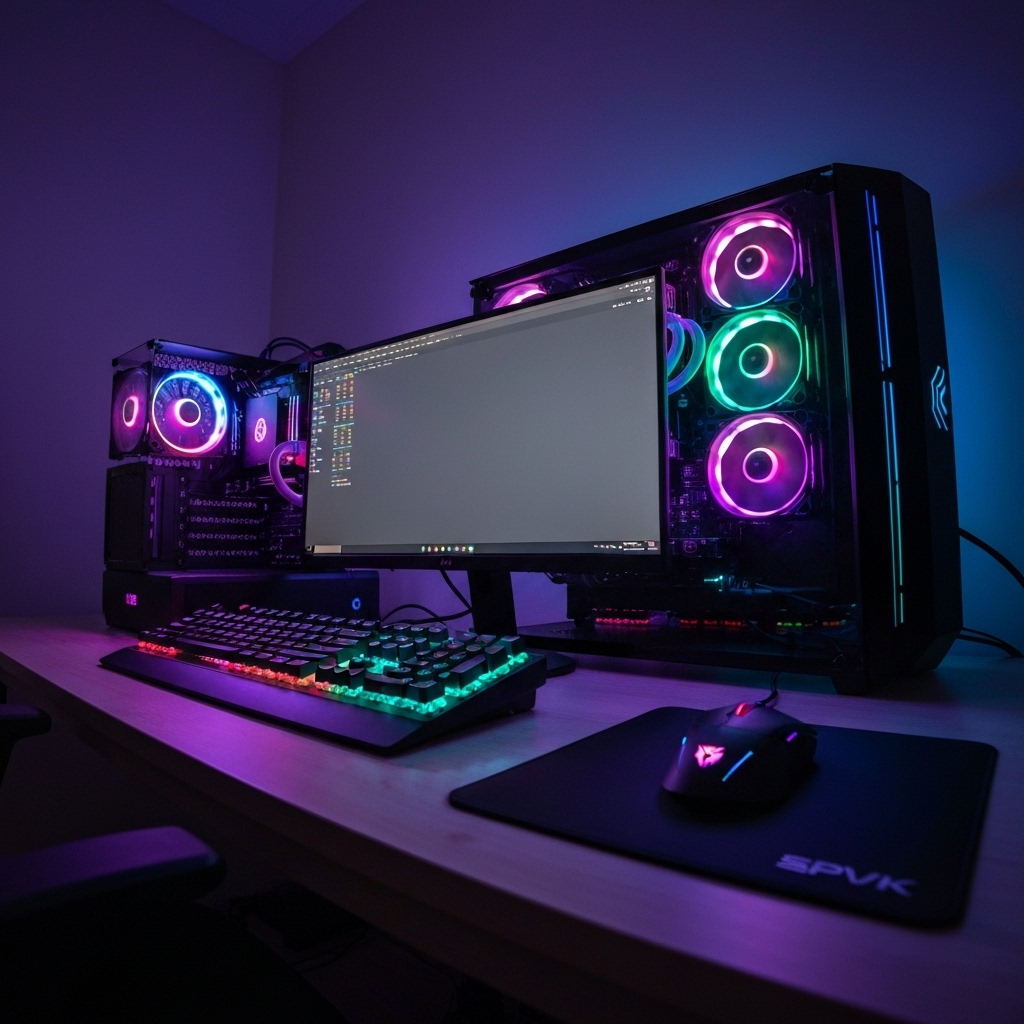
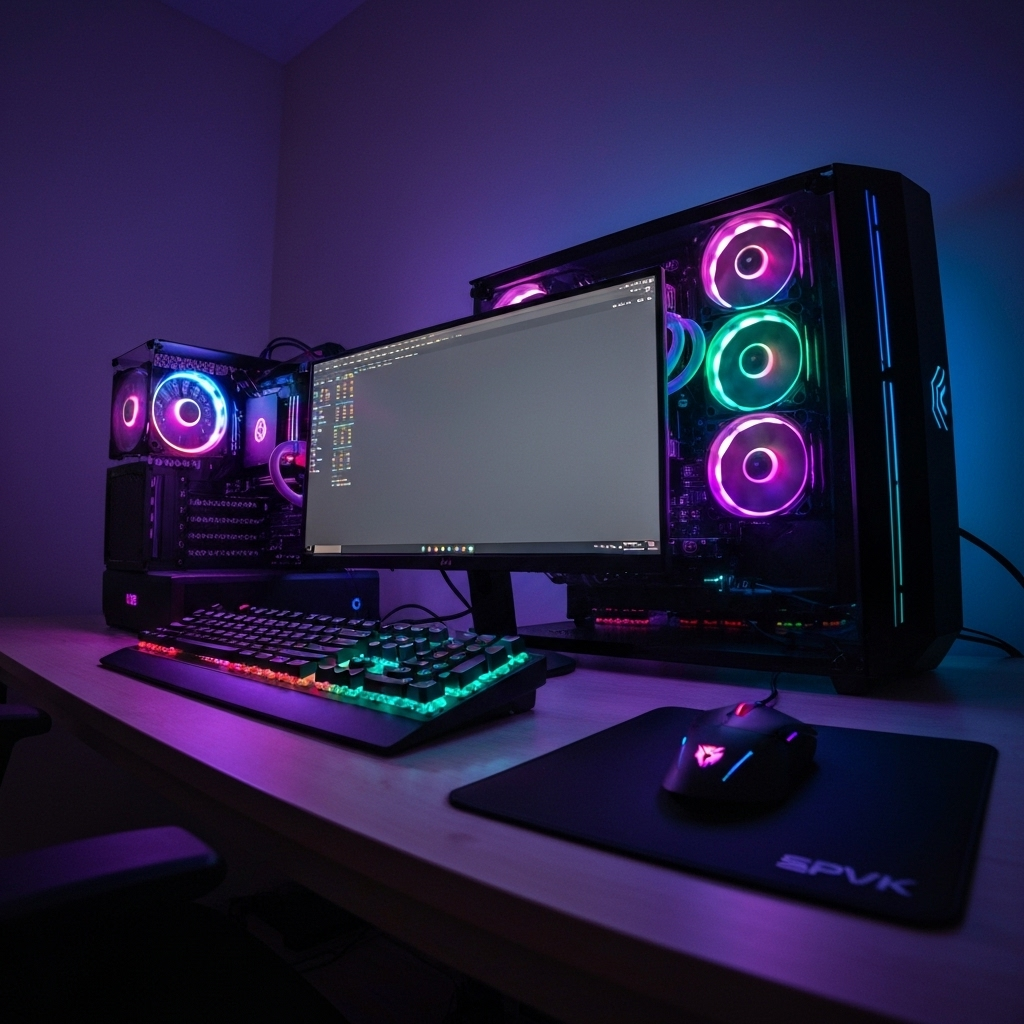
Have you seen how many modern PC battle stations look like they come from a sci-fi movie? They often have glowing keyboards, mice that change colors, and even internal parts that pulse with light. This bright and colorful change is all because of RGB lighting. It has changed the PC from a plain beige box into a lively centerpiece for any gaming setup. But why has this trend grown so popular? What is it about these colorful lights that gamers and PC builders like so much? This guide will look at the history of RGB lighting in the PC world, why it is now a key part of gaming, and what it can mean for your own setup.
The Rise of RGB Lighting in the PC World**
The journey of RGB lighting from a small hobby to a common feature is very interesting. Before people could choose many colors, PC fans had few ways to light up their setups. When true RGB technology came out, it changed things a lot. It gave users a new way to customize their PCs. They could stop using just one color and make their setup look just how they wanted.
This change did not happen all at once, but it grew fast. When some first brands showed how cool user-controlled lighting could be, others began to join in. Soon, many items—like motherboards and mouse pads—came in RGB versions. Now, we will look at how PC customization was before this change and find the time when RGB lighting really started to stand out.
Early Years of PC Lighting: Before the RGB Boom**
Before, changing your PC’s color took more work. In the early 2000s, people who really liked to change their PCs used cold-cathode fluorescent lights (CCFLs) to make their PCs look cool. These were hard glass tubes in colors like red, blue, green, or UV. If you wanted a new color, you had to buy and put in new tubes.
These early lights were not very good. CCFLs needed a big power box that was hard to hide. They stuck to the PC with double-sided tape that did not hold well. This made the lights fall easily onto your costly PC parts. The light usually only brightened the edges of a case window. It did not light up any parts inside the PC.
Because single-color LEDs and CCFLs had these problems, people wanted better lights. PC fans wanted to control the colors more, have many color choices, and make the lights easy to put in. This want for more options and art led to the fast rise of rgb lighting. RGB lighting fixed all these early problems and gave people new ways to light their PCs with leds for better illumination.
When RGB Lighting Became a Mainstream Trend**
The big change to customizable RGB lighting started around 2014-2015. A key moment was when MSI launched the X99A Godlike Gaming motherboard. This is seen as the first motherboard with built-in, controllable RGB lights. Tom’s Hardware said this “was a revelation” for builders used to lights that only had one color and did not change. [Source: https://www.tomshardware.com/pc-components/gpus/after-10-years-were-past-peak-rgb-but-dont-celebrate-yet-stealth-pc-purists] This product showed the industry what could be done.
Seeing this, other big hardware makers quickly joined the trend. Brands like Corsair were among the first to add RGB lights to their fans and gaming keyboards. The idea spread very fast. Soon, you could find RGB lighting in almost every part, such as RAM sticks, GPUs, cooling fans, and even SSDs.
This fast growth made RGB a common feature, not just something for a small group of people. It was no longer only for serious modders. It was for every gamer who wanted to give their PC a unique look. The market grew with many products offering millions of color options, turning the PC into a space for digital art and self-expression.
Why RGB Became So Popular with Gamers and PC Enthusiasts**
So, why do gamers love all these colors? The popularity of RGB lighting goes beyond just having bright lights. It is mainly about making the gaming setup personal and giving a special feel. Your gaming setup is your own space. RGB lets you change how it looks to match your style, mood, or the game you play. It helps make your gear feel like it belongs only to you.
This need to customize is stronger because gaming today is very visual and social. RGB lighting can create a mood that pulls you into the game more. It can also make your setup look unique when you stream live. RGB lighting serves many uses. The next parts will show how customization and the gaming community have made RGB lighting popular all over the world.
Appeal of Bright Colors and Customization**
One of the main reasons why RGB lighting is so popular is because color is simple and powerful. Colors can change how we feel. For example, red can make you feel excited and full of energy. Blue, on the other hand, often makes you feel calm. With RGB lighting, you can quickly change the whole mood of your gaming setup to match how you feel or the game you are playing.
This kind of customization lets you create a setup that is truly your own. You don’t have to stick with the default look of your PC parts. Instead, you can pick a color scheme that shows your personality, your favorite sports team, or your in-game group. This turns your PC from just a tool into a work of art you made. For many gamers, personalizing their setup is as fun as building the PC itself.
The options are almost endless and give gamers a special way to show who they are. Here are some reasons why this customization is so popular:
-
Mood Setting: You can make a soft, relaxing light for work or late-night browsing. Then you can switch to bright, energetic colors for intense gaming time.
-
Aesthetic Harmony: You can match all your peripherals and PC parts. This helps create a clean, neat, and professional-looking setup.
-
Personal Expression: Your rig can show your style. You can go for a simple single-color look or a full rainbow effect. The choice is up to you.
-
Showcasing Your Build: If you spend time and money on high-end parts, RGB lighting helps you show off your hardware through windowed cases and highlight your hard work.
Community Trends and Social Influence**
You can’t ignore how much online communities and social media helped make RGB lights popular. Sites like Twitch, YouTube, and Instagram became places to show off cool PC builds. Many popular streamers and creators started sharing their bright, colorful setups. This inspired millions of fans to copy their favorite stars.
This started a strong trend. Having a gaming setup with matching RGB lighting became a way to show you cared about your hobby. The trend grew even more with «fishbowl» PC cases. These cases have glass on many sides to show off the glowing parts inside. Showing off your custom PC became part of what made gaming fun.
In the end, RGB lighting joined the social side of gaming. It helps you connect with others, share what you love, and join a bigger trend. Building a nice, bright PC is something to be proud of. Sharing it online lets you get ideas and praise from gamers everywhere.
Practical and Technical Aspects of RGB Lighting**
While how RGB lighting looks is a big part of why people like it, there is more to it than just style. You might not know that RGB lighting can also be useful in your PC setup. It is not just for decoration. RGB can help improve your gameplay and make using your PC better overall.
RGB lighting can show important game info quickly and make your keyboard easier to see in the dark. It has grown from just being a fun feature to something that helps you play and work better. In the next parts, we will look at some practical ways people use RGB. We will also answer common questions, like if these bright lights affect your hardware’s speed or how long it lasts.
Functional Uses for RGB in PC Builds**
Believe it or not, RGB lighting can be a functional tool that improves your gaming. Many modern games and applications can sync with your RGB hardware to provide real-time visual cues. Imagine your keyboard flashing red when you’re low on health or your mouse pulsing to indicate a cooldown is ready. This kind of immediate, intuitive feedback can help you react faster than you would to an on-screen icon.
Another practical benefit is improved visibility in dark environments. A backlit keyboard, such as the MEETION MK007 PRO, makes it easier to find the right keys during late-night gaming sessions, improving your typing accuracy and precision. Some setups even use RGB strips behind the monitor to create ambient lighting, which can help reduce eye strain by softening the contrast between a bright screen and a dark room.
These functional applications turn RGB from a purely cosmetic feature into a useful part of your gaming arsenal. Here are some of the practical ways RGB can be used:
|
Feature |
How It Works |
|---|---|
|
In-Game Integration |
Lights change color to reflect in-game events like taking damage, ammo levels, or special ability cooldowns. |
|
System Monitoring |
Components can change color to indicate temperature, with blue for cool, green for normal, and red for hot. |
|
Notification Alerts |
Peripherals can flash a specific color to signal a new message on Discord or other chat applications. |
|
Audio Visualization |
Lights can pulse and change color in time with music or in-game audio, creating a more immersive experience. |
Does RGB Impact Performance or Hardware Longevity?**
A common question is if all these bright RGB lights affect your PC’s performance or the life of your parts. When it comes to gaming and things like frames per second (FPS), the RGB lights do not really have any effect. The LEDs use very little power. They do not take away any resources from your CPU or GPU.
But there can be one indirect problem: the software. To control your RGB lighting, you need to use apps from the hardware makers. Sometimes, these apps are not well made. They might use some CPU power in the background. This usually does not hurt your gaming, but it can matter on weaker PCs.
What about the life of your hardware? You do not need to worry. Modern LEDs are very efficient and give off little heat. They will not raise the temperature inside your PC case. They will not harm parts like your processor or RAM. The only real problem could be buggy software, not the RGB lights themselves.
Common Issues and Alternatives to RGB Lighting**
Even though RGB is very popular, it is not always smooth and easy to use. Many people face problems that make it hard to manage a fully lit PC setup. Sometimes, the software does not work well. Also, not everyone likes to have lights on all the time. These are good reasons why some people do not want to use RGB at all.
If you are tired of these problems or want a different look, there is good news. There are many ways to make your PC look unique without using RGB. In the next parts, we will talk about the common problems with RGB setups. We will also look at some great non-RGB options to make your PC stand out.
Troubles People Face with RGB Setups**
Running a multi-part RGB setup can feel like trying to control a group of cats. One of the biggest complaints from users is about the software. Almost every brand has its own control app, and they often don’t work well together. Trying to sync lights from a Corsair keyboard, a Logitech mouse, and a Gigabyte motherboard can make your desktop messy with many heavy programs running.
Another normal problem is the extra cost. Parts with good, addressable RGB lighting usually cost more than parts without RGB. This “RGB tax” can add up fast. It might force you to choose less important hardware if you have a tight budget.
Also, for some people, the lights can be a distraction. While many enjoy the lights, others find the flashing and changing colors distracting when gaming or working. Here is a quick list of common cons:
-
Software Conflicts: Different brands need different software, so syncing effects across your setup is hard.
-
Increased Cost: RGB parts and accessories usually cost more than the non-lit ones.
-
Potential Distraction: Changing lights can distract some users and hurt focus and immersion.
-
Limited Compatibility: Some RGB products may not sync well with your motherboard’s software, causing a mixed look.
-
Complexity: Setting up and controlling complex lighting patterns can take time and confuse new users.
Non-RGB Ways to Personalize Your PC**
If you want a unique PC but do not like the rainbow glow, there are many great choices. The world of PC customization is large and goes far beyond just lighting. You can build a stunning and personal PC using color, texture, and special parts that do not need any RGB.
One popular way is to focus on a clean and matching color theme using the hardware itself. You can pick a motherboard, GPU, and RAM with matching colors. Then, add custom-colored PSU cables to create a sleek and professional look. Some case makers, like Fractal Design and Hyte, have cases in many unique colors beyond the usual black or white.
This way lets you add a lot of personal style without needing to manage RGB software. Here are some non-RGB ideas to make your PC stand out:
-
Custom Cables: Sleeved cable extensions come in many colors and can completely change how your PC’s inside looks.
-
Vinyl Wraps or Decals: Put custom decals or a full vinyl wrap on your case panels to make a one-of-a-kind design.
-
Themed Builds: Build your PC around a special theme, like a favorite game or movie, using custom-painted parts and figurines.
-
Minimalist Aesthetics: Choose a «stealth» build with all-black parts in a sleek case without a window for a strong but simple look.
Conclusion
In short, RGB lighting has changed how people build PCs. It adds bright and customizable colors to setups all over the world. What started as a small trend has now become something many gamers and fans want. This shows how technology has moved forward and how community trends influence people. The attraction is not just about looks. RGB also helps with the function of a PC, making both the look and use better. When you start your own RGB journey, think about the balance between style and how well it works. Remember, there are other options if RGB is not your thing. Explore this colorful world and show your personality in your setup! If you want tips on RGB lighting or need help with your PC build, you can ask for a free consultation!
Frequently Asked Questions
Can RGB LEDs cause harm to my PC components?**
You do not need to worry about RGB LEDs harming your PC hardware. The LEDs in computer parts use very little power and give off almost no heat. They will not raise the temperature inside your case or harm the life or performance of your CPU, GPU, or other sensitive parts. This technology is made to be safe and is only for looks or visual function in your setup.
Are there performance advantages or disadvantages to using RGB lights?**
The lights on your PC do not directly affect how well your game runs, like the frame rates. The main benefit is that they give you visual clues for in-game events. These clues can help you react faster. The main downside is linked to the software used to control the RGB lights. Some of these apps use CPU power, which can sometimes make the system a little slower. But for most modern gaming PCs, this does not really affect how the hardware performs.
Why do some people prefer PCs without any RGB lighting?**
Many gamers and PC users choose builds without RGB lighting for different reasons. Some like a simple, clean, or professional look that does not have bright colors. Others think the changing lights can be distracting. This is true when they play competitive games or need to focus on work. There are other cons too. RGB parts can cost more. Also, using different software that can have bugs can be a problem. Because of this, many people pick a setup without any lights for a simpler experience.